I've been fascinated by the idea of utopias I think since around 4th grade when
 I read The Giver (and btw, I'm soooo excited about it becoming a movie soon). I loved books like Fahrenheit 451, 1984 and Brave New World that show an alternative view of what life could be like. Maybe that's why, as an adult, I was so drawn to the Hunger Games series and really relate to the people of the Capital in those books, as well as the Divergent series. I loved The Great Gatsby in high school and was thrilled with the recent movie adaptation, because the parties were just as over-the-top and out-of-control as I imagined them to be. The current TV show by the name of Utopia I think is anything but that; it's more of a Real Life show meets Survivor. The fact that the producers intentionally put people with very opposite extremist views is just the first hint that this mini society was meant to be a complete failure. It's a little obnoxious how bad it is. But there are some tidbits of interest that come out of it; Hex is by far my favorite character, alcoholism aside, because she can be level headed and talk to anyone, even if she disagrees with him or her, and ask them what their utopia is. I think I also like her because she naturally looks like a real-life Katniss from Hunger Games, complete with being handy with a bow and arrow. All literature, cinematography and bad reality TV aside, I still love the idea of a utopia and wondered what my utopia would be like.
 The problem with trying to create a utopia is that we're so used to what our norm is that there is a hesitation, if not outright resistance, to try anything or imagine anything different. For example, the utopians in the TV show naturally formed a democracy without officially declaring it, and only a couple weeks in decided to formalize and modify the political structure. One person on the show said that their utopia was one without money, but the economist in me likes the way money rewards efforts and can be spent on (somewhat) fairly equitable goods or services; an efficient market is the cleanest and best way to trade goods and services, keep costs down and drive innovation - not bartering or equal distribution. So rather than trying to start with a blank slate and recreate a society from nothing, my utopia realization would come from removing the things I don't like and adding things I want.
 First to go: chores. In my utopia, I don't have to clean dishes, mow the lawn, wash the windows, do laundry, sweep the floors, pull weeds, water plants, vacuum, feed the dog or even pick up after myself (let alone picking up after my roommates). I have always related to the main character of Pippin, who believes he is just too extraordinary to be bothered by these types of everyday things. I have these big ideas and crazy aspirations, but I have a pile of dishes in the sink that I have to attend to from time to time. I know there are maids and landscapers available, but with three perfectly capable people living under my roof, I just have a hard time justifying spending money on simple activities that we could do on our own. Still, chores bring me down; I like a clean house but I never enjoy cleaning. Usually wine is the only way to get myself to clean. If I could, like, dance and my house cleaned itself with the same effort that I put into my dancing, I think I would dance every day and never have a messy house. That leads me to...
 Next to remove: human-driven transportation. I know autonomous cars on a mass scale are still in the future, and it's going to be a long, long time before everyone adopts them or they are legally the only option. But people are stupid, and driving is the most dangerous thing most of us do in our lifetimes, and we do it every day. I personally despise driving, although I think I'm good at it (when I'm awake), and I have a problem staying awake behind the wheel at times. Life would be so much better if I could get in a vehicle and use my laptop or watch a show while the vehicle transports me to where I need to go. Some utopias are so small that they don't require powered transportation at all, one could easily walk or ride a bike to where they are going on a regular basis, but I don't think that's realistic, especially because I like to travel. I don't think a small distance utopia could ever include everything I would want to do. If we could just eliminate all bad drivers, that might make a big enough difference, but unfortunately, we all have dumb moments and I will still fall asleep. So autonomous vehicles can't come soon enough. Come on, Elon, I know you can do it!! I'll be your first volunteer to test it, or your first customer, if you let me!
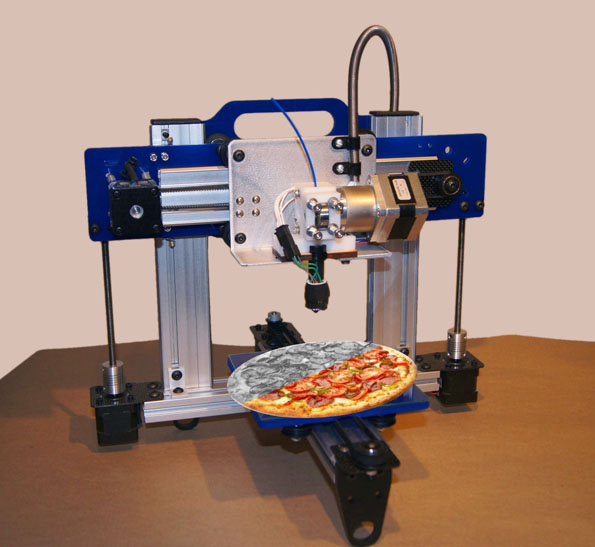
 Next to add: food that tastes delicious and is super healthy and exactly what I need. This is one area where 3D printing has some potential, but its even further in the future than autonomous cars, and I'm not sure that 3D printing is really practical as the means of achieving this. I think its a lot more of formulation and finding ways to flavor that won't cause cancer; I could care less about the shape. If I had a cheese-flavored shake that gave me all the nutrients I needed, I could switch between that and a chocolate-flavored protein shake and be pretty dang happy without solid food at all. Ideally, certain tasteless substances could be made into several formats and textures, infused with the nutrients we need, and then flavored based on our tastes. Imagine going to a party, having custom food made to meet your nutritional needs, but getting to try new textures and flavors that you've never tried before. But alas, cheese is high in fat, along with pepperoni (even turkeroni, which I often eat in lieu of the real thing), and Ben and Jerry's just cannot be made healthy without taking away what makes it so amazing. At least not yet, but I think maybe there's hope for some day.
 A big picture removal: political parties. Okay, a lot of my items so far have been somewhat minor, personal preference type things. But if I was designing a utopia, I would upheave the entire political system and replace it with an even more democratic process. I wrote a whole post about this previously, so I'll only summarize it here: we would essentially vote for issues we are concerned about, establishing both the solutions and the priorities, and then voting for the people whom we think are most capable of making those things happen. So instead of voting for a person because he is of a specific party or because she promises to do such-and-such, we vote for people based on our belief in their ability to make things happen, and we vote for the issues we care about, and we vote for what we want out of the political system. Then its the politicians' jobs simply to execute on what the public voted for. If they do a good job, they may get re-elected. If they sucked a big one, we'll find someone else to lead the way. Read more about this idea here.
 A big picture addition: more technology in schools. I think it's a crime for people to graduate high school and college and not know more than the very basics of Microsoft Excel. Most people don't know how to program. With technology being so prevalent these days, I just don't think people should become professionals or go into the workforce and not understand how computer logic works. I see people that are completely baffled by the computer programs they use every day, and that scares me. I understand that college is more generally about learning and theories and not so much practical technical instruction, but a person with a college degree should be able to comprehend and repeat a simple Excel formula. Kids, learn how to program; learn it early and do it often. That will set you apart instantly, even if you don't go into programming (or I should say, ESPECIALLY if you don't go into programming), because technology is just not taught at a competency level required to be awesome in the real world. Learning how to type should be mandatory in elementary school just like learning how to write. Learning spreadsheets and presentations should be mandatory in junior high, just like history or science. Learning programming, battery technology and computer maintenance should be mandatory in high school. College should include photo and video editing, CAD or other 3D modeling, and more programming.
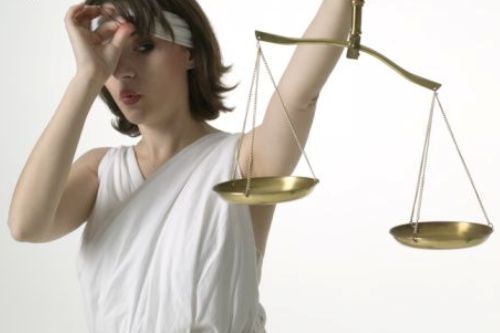
 Let's also take out: the legal system. I'm sorry, it's crap. Every time I've had to interact with it, I've felt burned. I'm a good person, I shouldn't have to prove it. We pay lip service to "innocent until proven guilty" but the legal system assumes guilt until proven innocence. Meanwhile, I see people driving illegally all the time and not getting caught. I know men paying child support to ex-wives who aren't doing a damn thing to improve themselves because then their child support would get reduced. I've seen someone unable to perform his professional obligations because a nasty, bickering woman put a completely BS restraining order on him. And I've been part of a jury that convicted a man of a crime for which the only evidence was technically "thrown out". If it's going to be garbage, than let's call it what it is, and not pretend that "innocent until proven guilty" has anything to do with it. In the case of having a restraining order on someone, I think if the complaintant knowingly puts herself in a place where the accused is going to be, the restraining order should be null and void; as it stands, if she shows up on his doorstep, he's breaking the law. Better yet, let's let common sense prevail, and not evidence that is thrown out or assuming a woman is telling the truth because she's a woman, or assuming a cop is telling the truth because he's a cop. I love the idea in Divergent with the people having aptitudes for selfless leading the government. Let's have the justice system be filled with people who have the aptitude to read people and apply common sense, and not have to worry about covering their butts. Today's judges don't actually judge anything, they're not allowed to, they just apply legal procedures and ensure those procedures are being followed through. Let's have judges who are really strong moral judges, and make the case to the judge who is not incentived to rule one way or another, only to make the best judgment, and leave the peanut gallery of uneducated hicks and racists and prejudiced people out of it. Maybe a panel of judges for each case, just to be sure the decision doesn't weigh on one individual. Think of the case scene in Patch Adams, where a moral appeal can win. Judges, like the politicians in my utopia, would be voted on based on their ability to make good calls. In my utopia, people would take responsibility for their actions, and suffer the consequences, but they would understand the consequences going into it. Better education and no way to cheat the system.
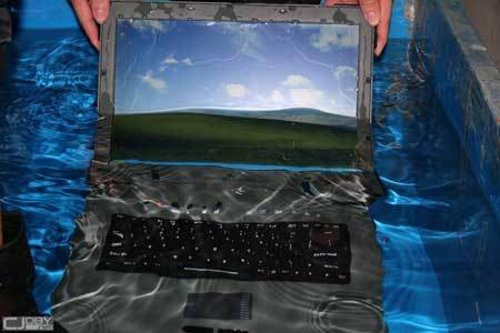
 Plus add: waterproof electronics. It's a niche need, but do you know how many times I've carefully wiped my hands off while in the bathtub in order to access my laptop or phone? It's a lot. And I'm sure I'm not completely alone on this. I just want electronics to be sealed up and safe from water damage so that I can comfortably use them in the bath or shower or pool without covers that inhibit the ability to hear or use the devices.
 Another addition: Streaming of important athletic events. Back to the nit-picking personal preference stuff. If I graduated from ASU, I should be granted lifetime access to high-def, legal streaming of all football and basketball games for ASU. At a minimum. I think its despicable that we would need cable and a special channel to watch half the games. Few of the bars locally have that channel, and when traveling, its impossible to find a bar with that channel. I should be able to type in a code and wherever I'm at can have the game. At a minimum. I would much rather be able to watch all major games on regular cable or Hulu or whatever. Make it accessible to everyone, and we will get more excited to go! Make it less accessible, you might just start losing fans, or income because we'll figure out a way to stream it illegally.
 Another removal: 40 - 60 hour workweeks. Companies should pay a person to do a job, not spend a certain number of hours in the office. I truly believe that some people are better than others at their jobs, and yet we do this weird equalizing thing to require efficient workers to stay so many hours, while inefficient workers may not even get their jobs done but they put in their hours so they're good to go. The reason we do this, I'm sure, is because it's far too difficult to quantify what the job should be in any other manner, so its simplest to just assume it should take about 40 - 45 hours per week. There's also discrimination that might play in, presuming that most women can't physically lift and load as much as most of their male counterparts, and you don't want to be accused of paying women less in a discriminatory manner. Then again, maybe a physical job isn't good for women who can't keep up with the boys, why is that wrong? Maybe those women who can't keep up should go do a job better suited for their brilliant minds or physically less demanding. Regardless, in my utopia, we would figure out how to quantify work effort and results, and allow efficient workers the freedom to leave after the equivalent of 40 hours of work, even if that's 32 hours for them, and they get Friday off, but they are paid as if they were there for 40 hours because that's how much work they did.
 And add: more positive news journalism. I know, they're based on ratings and the violence and awful stories get more attention than the positive stuff. But kind of like in Divergent where people with a certain aptitude go into certain fields, I would mandate journalists to want to report on the positive stuff, and downplay the violent stories that lead to copycats. Celebrate the heroes and the victories over disease. Don't name the name of the killer in the mass shootings - don't give them any credit or attention whatsoever. Also, let's not make stories about race if they aren't about race; hell even if they are, let's not focus on that because that only raises more racial tensions - a crime is a crime no matter what the (ignorant) motive may be.
 Going back to my first point about chores, I suppose if the help was cheap enough, it could be worth it to pay, but then there's trust issues and the weirdness of a random person coming into your residence. I would prefer to just find a way to eliminate the need for chores altogether, like having a goat that eats the grass, or maybe just have robots do them. A lot of these wishes require future technology or a full re-vamping of a country, and obviously I'm not single-handedly capable of doing all those things. This is also why the TV show Utopia will fail, because they made those people become farmers and live off the land and removed much of the technology; without technology, you're not really allowing them the full utopian-creating potential. Also, they're just a few people, not a whole society of hundreds of thousands. It's more like a make-your-own summer camp than the building of a new society. For me, there are a few things I can do in my own little world to make a partial utopia for myself, and that is what I will strive to do. I've already made my house quite comfortable with excessively nice luxuries in some places (like my amazing bathtub). There's always more to do, of course, but that's what it's all about for me.


First to add: a better place to dance. I have trained briefly in ballet and jazz dance, as well as performed in musicals in junior high, high school and college. In college I also took hip hop and swing dance, and since then, I have been swing dancing on and off (with a stint of hip hop again when I went back to school for my MBA). I love our swing dance community, but the venues never have the air conditioning capacity to support the hoards of people who come to dance. It's a good problem to have, I suppose, but still, I think I would dance more if I didn't dread sweating in front of everyone so much. The other issue is that I often want to dance at home to practice, and I just don't have my house arranged in a way that really supports that. But I do like how my house is furnished, so I don't want to change it; I just want to add a huge room to the back with wooden floors and its own amazing A/C and mirrors and cameras so I can review my dance and improve myself, and a large screen (or four) to watch videos from the greats.


And more: more life skills in schools. I consider myself lucky to have fallen into a musically inclined family, and have taken that into theater, as well as on the completely opposite end of the spectrum having a good understanding of finance and economics. The idea of arts being pulled out of schools is appalling to me. Even though I've never aspired to be an actress, the spacial awareness I learned in theater has had so many applications in my regular life, and I can tell instantly when a person does not have that skill. How much better would this world be if everyone had spacial awareness, understood the financial impact of their money spending decisions, and learned not to be afraid of speaking in public? School should not just be about memorizing dates and definitions, it should be about learning how to live life fully. When I tell people what I do, there are a lot of people who didn't even imagine my career path existed, and I see people who fall into careers (I think) because they saw options that they were aware of included: doctor, architect, lawyer, musician, teacher. There are so many more career paths, and people don't know about them. Engineering is shrinking, and it needs to be expanding.
Add to that: a more self-policing society. Let's imagine that, without autonomous vehicles that obey the laws to the tee, our vehicles are equipped with cameras that watch around us in four or more angles. If we see someone breaking the law, i.e. unsafe lane change or what have you, we simply hit a "report" button and the last 30 seconds of footage gets sent to a center of workers who decide if that footage is sufficient evidence to convict the driver, and then send a ticket in the mail similar to how they handle red light camera tickets today. I've always wanted this. I'm not sure where else it would apply other than on the road, because I don't witness law breaking in any other aspects of my life on a regular basis, but it could be applied to solicitors on door steps or other like cases. Imagine how few people would drive recklessly and cut you off if they knew that anyone around them could report them and cause a financial burden for them?
Another removal: the hidden sales tax and semi- and fully- mandatory tipping. What I mean by this, is a menu or a price tag should have the price that it will cost. It should include the tax, so there is no guessing. When we have to split the bill, its clear exactly what we owe, because we don't have to add in the tax. Along with that, we should not feel obligated to leave a tip. A tip should be 100% discretionary based on extraordinary service, and not expected, and certainly not added to bills for groups of 8 or more. It's hard to deal with a group of 8? Tough, that's called your job. I don't get tips at work when I have to go to a meeting with 30 people. But I'm paid fairly. So our wait staff should also be paid fairly to do their jobs, and not expect the customers to shell out the rest of their pay on top of the price of the food we're paying over priced amounts for. Some other countries do this, so there is no reason we need to continue in this awful tradition.
Remove too: welfare and any type of government handouts. This is the economist in me, and maybe the general population in my utopia would disagree and institute them through our superior voting system, and I'd have to live with it. But how many stories have you heard of someone living in a nice house driving nicer cars than you, and not making a contribution to society? I would vote for any movement that would bring us closer to the efficient economy that rewards effort and results, and that means not giving anyone a free ride.


