Tuesday, February 11, 2020

How to Get a Massage - A Guide for the Novice Unsure About Doing It

It occurred to me yesterday that so many people don't get massages because they are uncomfortable with the idea of certain aspects of it, lack experience or a friend to urge them on, and/or do not see the value (i.e. the benefit versus the cost). I don't know much about the massage therapy techniques or business, only what I've observed as an avid consumer of massage therapy. Yet, I've referred a number of people to massage, who had never done it in their lives and found it so wonderful they started going regularly. So I'd like to share my tips and experience in hopes of maybe enlightening a handful of readers.

Where to Get a Massage

I have been a member of Massage Envy off and on for years. I like the convenience of it - they have locations all over the place, you can book appointments online, and they are efficient with checking you in and checking you out. They even handle couples' massages, so you can go with a significant other (or very close friend, if you don't mind seeing each other with few or no clothes on) and be in the same room together. Of course, there are also dayspas and fancy places like that, and I've been to a handful, but I don't find the quality to be worth the price. You can also have entrepreneurial massage therapists come to your home, or go to their home. As much as I love the entrepreneurship of this idea and the small business community as a whole, the idea of being in a private home, either mine or their's, creeps me out, so I stay away from these options. But, if you are comfortable with this option, I'm sure it's wonderful. One of the downsides of going to Massage Envy is that after my massage is over, I have to get up and drive home, often a little groggy or slightly dizzy (more on that later), so having one done at home would eliminate this need. I will also vouch for the massage places at the airport - they are pricey, but when you're traveling and you're stiff from work or whatnot, a 15 minute chair massage can be a wonderful thing. I usually have quick layovers and therefore don't have time, but if my plane is delayed, I often find the massage is just what I need to put me in a better mood. If you're nervous about going into a private room for your first massage, perhaps getting a chair massage at an airport the next time you travel might be a nice introduction.

Who to Get a Massage From

I'm not very picky here, other than my aversion to hiring a stranger to come to my home. Many people prefer female massage therapists - I presume male clients are driven by a mix of homophobia and a desire to have a woman's touch, and female clients feel less at risk of sexualization, molestation or sexual assualt. Here I will say, you do you, but I have no problem with male or female massage therapists in principle. Obviously, men who want to keep their jobs would be wise not to violate their customers, and all therapists have to go through extensive training and observation to become a therapist. So, while it's not impossible for someone to be unprofessional, it's not likely that it will happen in a professional establishment like Massage Envy or a day spa. 

Additionally, men biologically tend to be stronger, and since I use massage partially to treat the chronic pain that comes from my scoliosis, I need a good amount of pressure. That's not to say that women can't provide sufficient pressure, many female therapists I've had were awesome in this area. Just that statistically speaking, a random male is likely to be stronger than a random female. They overcome this with good technique, of course, but I think it's still a factor, however small. 

Because I tend to book my appointments on short notice, and most customers prefer female therapists, I tend to get more male therapists, and that's fine by me. I have, admittedly, had uncomfortable massages before, where I felt the massage was going a little too close, but I've had this rare experience from both male and female therapists (technically, there's no guarantee a female therapist is straight, necessarily). All this to say that the risk, in my mind, is very low, and while it probably happens from time to time and makes headlines when it does, on the whole, it's statistically unlikely. (Being a little bit of a statistician, I approach life and risks very logically: in turn, I believe that if you live your whole life avoiding risk, you won't really have lived. For example, driving a car is one of the most dangerous things we do, statistically, more than anything else in most of our lives, and yet, few people are abandoning cars and communities with vehicles for this reason.)

I will say that, on occasion, I get a massage therapist that I didn't like for a number of reasons: they didn't listen to my requests/needs, they were late coming in and early ending the session, they talked too much, they stretched me in weird ways, they smelled bad. I haven't had this issue recently, but I used to keep a little note in my phone about which therapists I didn't like, by name, so that I won't book them in the future. I think that's okay to do. I know a lot of regular customers tend to find a therapist they like and then book them every two weeks or whatever, and that way the therapist gets to know them and can, I suppose, customize the massage more for what the customer wants. I like this idea in principle, but massage isn't something I schedule regularly; I book at such sporadic times that it's often a different therapist that's available. For what it's worth, the guy that smelled bad actually had a really unique massage style that I liked, so rather than just writing him off completely, I wrote a note next to his name, and when I felt like I wanted that massage style and could bare the smell, I went back to him.

What to Do Before Going to Your Appointment

I'm writing this section only because I think people overthink it sometimes. You don't need to have freshly shaven legs or anything special like that. I would say you want to have showered that day and not be smelly from working out, but if you haven't shaved in a few days, don't sweat it. You probably want to eat foods that won't give you too much gas, as the massage room tends to be fairly quiet and also close quarters, so an audible or stinky fart is likely to be noticed. I think that covers the obvious stuff. 

The less obvious would be, for one, you should drink a lot of water the day or days before a massage. This is because the massage, especially the first massage, will release a lot of toxins into your blood stream, and you want to flush them out. But, you don't want to drink a ton of water immediately before your massage, otherwise you'll likely have the urge to use the bathroom and will be uncomfortable. It's always good to try to use the bathroom right before your massage, either at home before you leave or at the venue once you arrive. If you have any soreness, it may be good to stretch it out before the appointment as well, to get it ready to be worked.

What to Expect at The Appointment
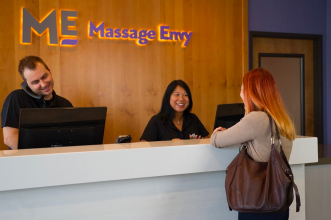
At Massage Envy and dayspas and the like, you'll check in with the front desk and then go sit in a waiting area. This is the time that you want to get yourself in a quiet, relaxed state. Turn your cell phone(s) to silent. If you have long hair, pull it back into a pony tail or sloppy bun. Try to use the bathroom if you have time. I always try to blow my nose and put on chapstick, so that I am most comfortable. The therapist will come get you by name and bring you to the room for your massage. They'll typically ask you about what you're looking for, areas that are okay, what pressure you'd like, and other such details. For what it's worth, I usually say medium pressure except on my lower back, where I ask for light pressure, and that works out pretty well most of the time. I actually don't like full body massages, because I'm not a fan of how my arms and legs are usually rubbed, something about it is more painful than it is good feeling for me. So I typically ask my therapists to focus on my back, shoulders, neck, glutes and feet. Given that I often book 90-minute sessions instead of the typical 60-minute, this means I get a LOT of attention on those areas, and that's how I like it.

Most therapists will also instruct you to lay face down on the table to start, but some will ask if you have a preference. I like starting face down anyways, so I always opt for that if given a choice. Somewhere near halfway in the massage, they'll hold the sheet to cover you and ask you to flip over and scoot down so your head is on the table. This can be a little awkward, but be assured that they know how to keep you covered and will fix the sheets afterwards to get you comfortable again. Many massage beds have warmers in them, and the therapist may ask if you want the warmer on or off. I always like it on - I've personally never gotten too hot in a massage, if anything, I can get a little cold, and the heat feels so good on achy muscles.

Once the therapist leaves the room, you have a few minutes to get undressed to your comfort level and get yourself situated on the table under the sheets. I take this time to always make sure my chapstick is freshly applied, or re-apply if needed, and to blow my nose if needed. They say to undress to your comfort
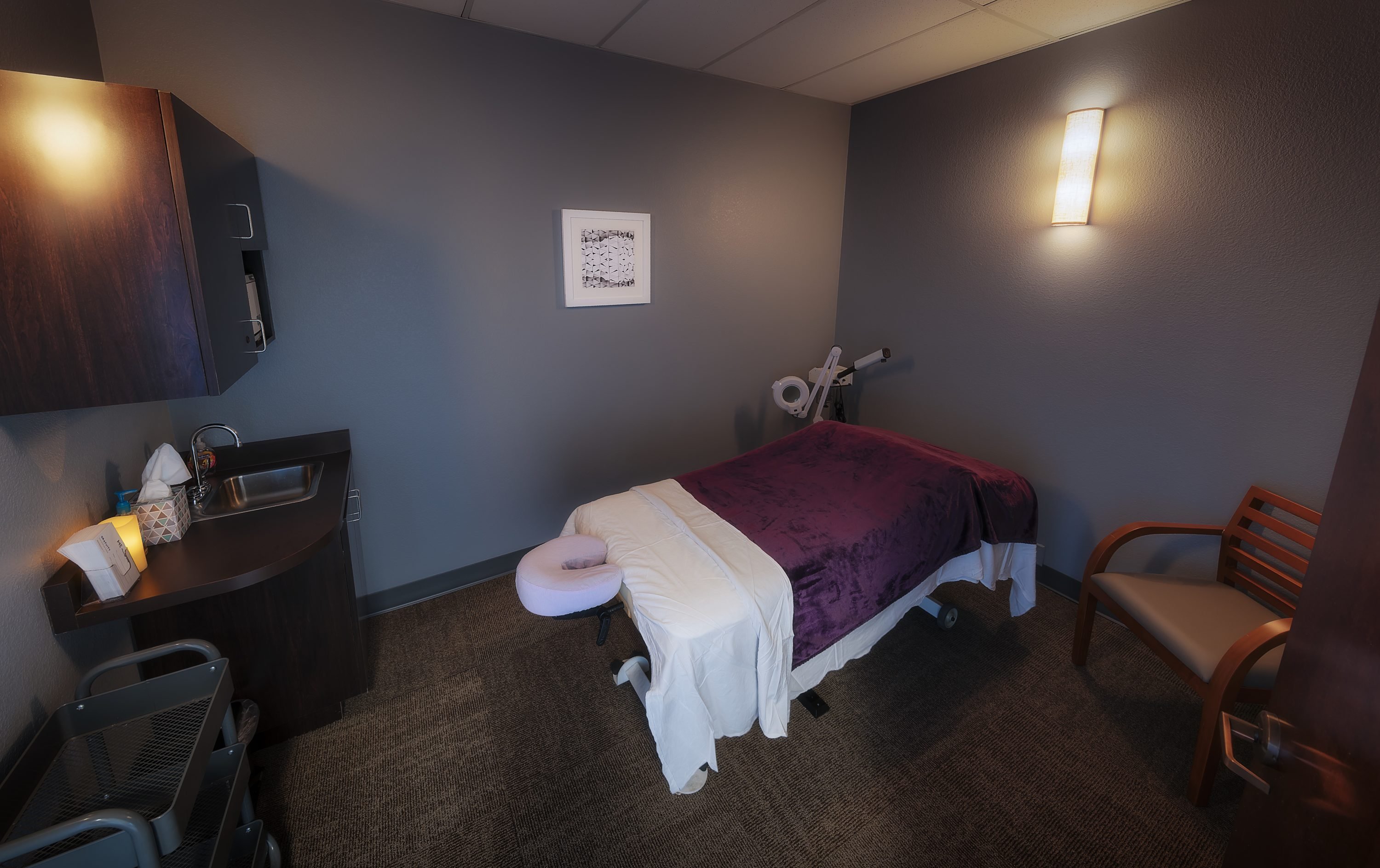
level, but truthfully, clothes and accessories do get in the way, so I always take everything off, underwear, FitBit/smartwatch, necklaces, everything. Except for having my hair pulled back, I'm free of all things manmade when I slip between the sheets. Especially if you're getting your glutes worked on, which I highly recommend you try when you're comfortable, its preferable to remove underwear. But again, you do you. If getting a massage is contingent on wearing underwear to make you feel secure, the massage is definitely worth it.

Pro Tip: I used to be so awkward getting onto the massage table to face down and pull the sheets over me. In recent years I discovered that it is much easier to partially lay down on my back, get the sheets over me, and then flip over and pull the sheets up.

The venue typically pipes in soothing instrumental music, otherwise the rooms are fairly quiet. In my experience, very few therapists talk continuously, most will say very few things, usually to ask if the pressure is good and to tell you when its time to turn over, and finally (sadly) ask how you're feeling to indicate the appointment is over. Other than that, I find massage time to be an excellent time to close my eyes, clear my head, think through whatever may be troubling me, or get inspired with new ideas (the idea for this blog actually occurred to me while getting a massage). Sometimes, I go for long massages when I've been having trouble sleeping for a few days in a row, and the massage will actually lure me into sleeping a little bit, although my snoring usually wakes me up multiple times throughout the session. But, generally, this helps me sleep better when I go home.

The massage therapist will move parts of your body throughout the session. Depending on what you asked for and what the therapist does, this could be just moving your arms and head from time to time, or they may have you do pretty in-depth stretches requiring a lot of moving body parts. For the most part, you want to just relax your body and let them move you. They may take your hand and drop it off the side of the table to get a different angle on your back, for example. And they'll usually bring your hand back up and tuck it under the sheets when they're done with that part. For a novice, it can sometimes be hard to let them relax and move you, so my advice is to just trust that they'll take care of your body and let them do their thing.

Likewise, sometimes I catch myself tensing up during parts of the massage. This is especially true when my glutes are being worked, my butt muscles just want to clench the whole time. So I regularly walk myself through a mental checklist, telling myself to relax each muscle group. I start with my face and work my way down. Relax the face muscles, if you need to pick your head up slightly to do this, that's okay. The therapist knows you're alive, you don't have to act like a cadaver in a murder movie. On this note, if you find that your nose is getting runny, its okay to ask for a tissue, and they'll often bring over a trash can for you to deposit it in when you're done. Relax your face muscles and reset. Then, relax your shoulders, arms and back. Then relax your glutes, legs, feet and toes. When I find a certain muscle group is still tensing up, I take a deep breath and imagine sending the oxygen into that muscle to relax it. I do this, also, when a certain pressure point is being worked and it hurts, I take a deep breath and imagine myself pushing healthy oxygen to that part of the body to relieve it.

Many therapists end the massage by a more light-handed, slow or still touch. Examples include holding the customer's feet for about 30 seconds, holding the customer's face for several seconds, or lightly sweeping their hands down the back, arms or legs of the customer. Then they'll usually ask you how you're feeling or tell you the session is at its end. Then they'll leave the room for you to get dressed. Take your time getting up, especially if this is your first massage. Often, because of all the toxins that get released, you may be disoriented or dizzy. It's okay to take a moment to stretch, blow your nose or get your hair back in order. Once you're dressed, you open the door to exit, and the therapist will usually have water for you. Drink all the water, since this will help flush out the toxins. I didn't know that the first time I got a massage, so I turned down the offer of water, and when I got to my car, I got really dizzy and couldn't drive for several moments. If you need to use the restroom at this point, don't hesitate to do so, it's perfectly fine.

Some Massage Envy locations let you check out before your session, but I usually wait until after to pay up and tip anyways. Tipping for a massage is similar to tipping at a restaurant, you want to tip 10 - 20% of the original value (before any discounts, etc). A lot of them will have a little placard at the desk that gives you the amount, so you don't have to do math in the groggy post-massage blur.

Membership and Costs

Of course, Massage Envy is known for their subscription-style monthly membership. It's a fairly affordable way to give yourself one or two massages a month, and memberships or gift cards make great gifts for others who enjoy massage. Dayspas and resorts will typically be more expensive, as are the airport locations. If you want to find a cheaper alternative, see about booking with a massage school; that is where the therapists are practicing and learning, and so you may get a less experienced therapist but the massage costs significantly less. One other thing that helps with the affordability is that you may be able to use it as a medical deduction on your taxes. Talk to your tax advisor for more official advice on this, but just realize it is a possibility.

I'd love to hear from you about other areas of massage. Let me know in the comments what your favorite aspects or techniques are! And if you're a newcomer to massage, I hope you found this useful and encourage you to give massage a try.

Friday, December 6, 2019

LinkedIn Must-Haves

Whether you're actively searching for your next job or just want to put your best foot forward for any great opportunity that might come your way, it's always good practice to get your LinkedIn profile completed as much as possible and keep it updated. Here are my absolute minimum requirements for a good LinkedIn profile as well as some bonus things to make you stand out. 

Minimal Must-Haves

  1. Add a nice, professional photo (no kids, dogs, sunglasses or hats)
  2. Write great Headlines - don't just stick with the automatically generated headline, talk about what you want employers to know about you
  3. Write great Summaries that include formal and informal credentials (i.e. certifications and degrees as well as "Lean guru"
  4. Add projects & docs like a portfolio (Green Belt, MPS, Req Training) that can be shared (not proprietary), schoolwork is great for this
  5. Use numbers to show magnitude (number of unique SKUs, spend $, inventory $, countries operated in, number of suppliers, volume of units per month, etc), specific software applications used (which MRP or CRM tools did you use, for example) - this is also good to do on your resume

Bonus Ideas

  • If you have a secret clearance, make note of when your last investigation was completed
  • Update your URL in your account settings to remove the numbers if possible and make it easier for people to navigate to

Sunday, September 29, 2019

Disney World Skyliner: A Modern Take on an Old Favorite

Our red Pirates of the Caribbean-wrapped gondola
If you follow Disney World happenings, you'll probably be aware that the new flying gondola system for getting from select resorts to two of the parks, aptly named the Skyliner, opened today. They are colorful, and many are wrapped with cartoon depictions of some of our favorite Disney characters (even if the characters aren't cartoons in their movies, for example Pirates of the Caribbean). While it would have been ever so convenient if they had opened at the start of our Disney World trip on Friday, we were lucky enough to be able to at least experience the inaugural flights this morning before leaving Orlando.
First off, I think the landscape view is much improved with the whimsical, colorful gondolas dotting the skyline. It adds a modern twist on a retro idea, a nod to the Skyway of Disneyland past, and
Skyliner over Hour Glass Lake
just makes the world of Disney World that much more adorable. Even while they were still running in test mode throughout the weekend, and for the press on Saturday, it was fun to see them soaring through the sky. These are not the rickety gondolas of old, to be sure; they speed along at a pretty brisk pace, which is quite lovely to see from the ground and from within a gondola. The speed also aids in the passive cooling of the gondolas, as the breeze is the primary means of keeping the glass boxes cool. I do wonder how effective this will be on really hot and stuffy days, but it was comfortable even around 10:30 am today, when it was pretty hot outside otherwise. 

Location, Location, Location

Jaiman and I departing Art of Animation Resort Hotel
One of the biggest plusses, in my opinion, is the precise locations of the stations. While most other transportation stations are off in the distance and require lengthy walks to and from, whether you're parking and walking to the tram and then walking to the parks, or going from the hotel shuttle to the ferry. We had, perhaps, the best room in the World for the purpose of riding the Skyliner to a park: Finding Nemo Building 5 at the Art of Animation Resort. Our room, 5513, was at the very end of the hallway, which made for quite a walk to the parking lot, but the shortest walk possible to the gondolas. Like, literally, there isn't a hotel room closer as far as I could tell, at least not at that hotel. It was probably less than 100 yards walking distance from my bed to the loading zone. I'm telling you, it doesn't get any better than that!

Directions from Caribbean Beach "hub"
Currently, all the gondolas go to and from a hub at Caribbean Beach, where you have to unload and then get in a queue for whichever one you want to go on next. We left from the Art of Animation Resort and then took a left turn at the hub to go to Hollywood Studios. The location of the endpoint there is very close to the park entrance; probably just as close as the parking lot tram dropoff point, but you don't have to walk the distance from your car to the tram. We do a lot of walking in the parks, so any way we can minimize the walking to and from the parks is a big plus to me! 

Operations

My inaugural flight, over Hour Glass Lake
I first headed out on my inaugural ride around 7:30 am Sunday morning (opening day), even though they opened at 5:45 that morning (I was tired, so I slept in). At that time, there was no line, which I was a little surprised about, assuming that they'd be all the rage and every Disney fan would be out to give them a go. But I will be the last person on earth to complain about the lack of a line, so I was happy to hop on with no wait. Before doing so, I asked one of the cast members how long the ride was, and he informed me it was about 5 minutes to the Caribbean Beach midpoint, and then about 10 minutes from there to Epcot and Hollywood Studios (at least I think that's what he said, it was early, to be fair). After thanking the cast member for the info, a random passerby showed me his phone with the stopwatch app on it and indicated it had taken 8 minutes and 55 seconds for a round trip. I thanked him for the info, and hopped on.

Skyliner gondolas zipping along

While the gondolas crawl along in the loading and unloading zones, they speed up in the air, and soar at a pretty brisk pace. The acceleration is quite comfortable though. On approaching the unloading zone, the gondola slows fairly abruptly, but again, still at a comfortable rate. My first ride went off without a hitch, and when I landed at the hub, there were a several groups of people milling about, but no lines at any of the outbound lines. I noted that there are separate loading zones for people who need extra time, such as in wheelchairs. Those gondolas, once loaded, are seamlessly incorporated into the rest of the line, and does not stop the flow during loading. With no lines at this point, I got my own private gondola on both trips.

On the way back, however, I did get stopped over Hour Glass Lake for probably 1 - 2 minutes with no explanation. Then an announcement came over the intercom that our ride would continue shortly, and the gondola slowly started moving, inching at first and easing into full speed before coming to the semi-abrupt slow at the unloading point.

View through wrapped window of line to/from Studios
When Jaiman joined me for a slightly extended adventure, it was about 9:45 am when we departed Art of Animation and there was a short line at our loading zone. But, as expected, the line went quickly and we were on our way to the hub. We were loaded in with a few other people, which was still perfectly comfortable with plenty of room to spread out and separate ourselves.
When we arrived and unloaded at the hub, there were lots of people in queues at all three lines. The longest line by far was for Epcot. Cast members were plentiful and announcing helpful directions, guiding people towards the correct queues for each destination. We took a left turn and joined the line to go to Hollywood Studios, since Jaiman wanted to check out some Annual Passholders merchandise he thought would be there. 


Heading to Studios, unwrapped gondola
There was some clumsiness here; as there were two queues available but only one being used. A cast member helped out by trying to guide half the line towards the second queue, but the people directly in front of us were completely in their own world and not paying attention, so Jaiman and I jumped ahead and bypassed nearly half the queue by going to the front of the second queue. Here, I observed the cast member pulling from the two different queues in an uneven manner, favoring the first queue. This may have been intentional because the second queue was newly formed, but obviously would be a problem if the two queues are utilized consistently in the future. Nevertheless, we again joined another small party in a gondola, and we were off! This was the first gondola I rode in that was not wrapped with animated characters, and the difference was certainly noticeable; the view and the photos were much clearer through the unwrapped glass, since we didn't have the dotted graphics hindering the view. 

After going through security at the park, and our short shopping trip, we returned to the Skyliner and joined the queue to head back to the hub. The line
Selfie with our red Pirates gondola
was a bit longer, but again, it went quickly. I had observed that most of my rides thus far had been in yellow gondolas, which wasn't a surprise because it seemed the yellow ones were probably 60-70% of the total gondolas, and this one was orange which wasn't all that different. I joked that my goal was to ride until we got a cool color. We joined the queue to head back to our resort, and lucked out with a fun red gondola wrapped in a Pirates of the Caribbean theme. Because the queue was short here, we were allowed our own gondola again. Over Hour Glass Lake, we slowed substantially, but did not stop this time, and then the same announcement came over the intercom that the ride would continue, and we sped back up the full speed and until approaching the unloading zone again. 

Human Factors

Loading was easy enough. The gondolas slow to an easy pace in the loading zone, and passengers have time to load if done with at least a basic sense of expediency. I could foresee some "GP" moments, which stands for General Public and which I designate when people are creating difficulty by being overly naive, unaware or argumentative. In my six one-way trips, I was stopped or slowed twice, and while I don't actually know the causes of those delays, I think it is more likely due to GP moments rather than technical issues, although anything could happen on opening day, right?

As mentioned earlier, the acceleration after loading and deceleration before unloading were rapid, but not so much that they would be uncomfortable or might cause someone to fall (as long as everyone is staying seated, as instructed). It could be a problem for rulebreakers who decide to stand.

The gondolas have two wood benches, parallel to the direction of entering, and look quite nice and were perfectly comfortable for the short trips. Also as mentioned earlier, the passive cooling of the breeze strategically flowed in kept the gondolas at a comfortable temperature in our limited experience, but I don't have enough data to have the confidence that they will always be sufficiently cool.

The most glaring concern I have from a human factors perspective is that there are no mounted handlebars to hold onto. Because the gondolas are still moving, albeit at a slower pace, at the point of unloading, and because the doors aren't so wide, I could see people running into the door or looking for something to grab onto. I do believe this is a small safety hazard that simple grab bars in strategic locations could alleviate completely. My legs and feet were very sore from the 28 miles I had walked in the previous two days, and as a result, I wasn't the most stable and may have bumped and/or grazed the side of the door as I exited at least of the 6 times I exited. When people start drinking, like say at the Epcot Food and Wine Festival, and then make their way back via gondola, door bumps are inevitable. 


Additional Information

To ride the Skyliner, you do not need a ticket, Magic Band or form of payment or anything. They are free and there is no security line or bag check or anything like that. Of course, the benefits of the Skyliner are most obvious when you're actually using them for transportation to and from the parks and resorts, but if all you want is to ride, it won't cost you anything except perhaps the price of parking wherever you choose to access the gondolas from. 


Conclusion

TTFN, Skyliner!
All in all, I'm pleasantly surprised and excited for the Skyliner's opening. It adds that much more reason to stay on-property, reduces some of the very painful walking to and from the parks, and is a fun and whimsical way to travel to the parks. However, the convenience may be, at least for the next year or so, lessened by interested joyriders fattening up the queues. Only time will tell if, in the long run, the location and speed of this new mode of transport will outweigh the wait time of the queues. I think they will be successful in providing one more convenient way to get people in and out of the parks, and will reduce the demand on the parking lots, making it that much more convenient for the rest of people who drive in and park. Even if we don't end up using them a lot, they are 100% additive to the beauty and whimsy of the Disney World Resort landscape. I do believe, however, that handle bars are going to be a necessary add as guests struggle to exit the semi-narrow doors while moving. 


Want to bring Disney into your home? Check out my book on Amazon Kindle! 

Design Hacks for Disney Themed Rooms
 

Saturday, September 28, 2019

Halloween DIY Decorations

Halloween can take many themes and feelings.  It can be downright scary, or it can be fun and silly.  Your Halloween décor may involve spider webs, bats and ghosts, or it may hint at axe murderers, villainous vampires or mummies.  So the drop-dead awesome DIY projects you can use may be limited to the way you want to haunt, err, decorate your home.  Here are some ideas you'll shriek for.
 

Broomstick Way


Use a collection of old, dusty brooms to line your driveway or walkway.  Turn the broomsticks upside down and stick the end a few inches into the ground to secure them.  The broomsticks can be painted or decorated in orange lights, fake spider webs, or both.
 

Halloween is in the Air


Hang ghastly decorations in trees and off your roof or anything else that's tall.  Use fishing string to hang your decorations so they appear to be floating.

Ghosts can be made from old white pillow cases stuffed with batting, newspaper or grocery bags.  Make the head of the ghost by stuffing the center and then pulling it tight with a rubber band or elastic hair tie.  The bottom can be cut up to make a more whispy appearance.  You can also take these ghosts and prop them up on broom sticks (with the broom part removed) around the yard.

To make bats or spiders, use balls of newspaper secured with duct tape and spray painted black, orange, purple or green as desired.  Pipe cleaner, bent metal hangers or paperclips can be used to form the bat wings or spider legs.  For additional thickness, use aluminum foil or paper wrapped around the legs or wings, and spray paint them as well.
 

Pumpkin Patches


Use large garbage bags full of stuffing, and spray paint them orange to make large, round pumpkins (if you can find orange garbage bags, even better).  You can also paint a face on them with black to make them look like jack-o-lanterns.  Or you might try illuminating them with lights on the inside of the bag, pressed up against the outside of the bag.


What Would You Like on Your Tombstone?

Old sheets of wood make for sturdy, re-usable mock graves for a cemetery theme.  You can either prop them up against something (like a tree or boulder) or construct wooden frames to prop them up.  Gray, black and white paint can be used to make a gloomy, stone like façade.  Then use stencils or stamps with black paint to write your epitaphs and add decorative scrolls and designs.  You can either write RIP in large letters, or add funny or realistic epitaphs.


Here are some real epitaphs from Boot Hill in Tombstone, Arizona:
 
Here lies Lester Moore.
Four slugs
From a forty-four.
No Les
No More.

Here lays Butch.
We planted him raw.
He was quick on the trigger
But slow on the draw.

Here lies George Johnson, hanged by mistake 1882.
He was right,
we was wrong,
but we strung him up
and now he's gone.
 

Stranger look as you pass by -
As you are now, so once was I.
As I am now, soon you shall be.
Prepare for death and follow me.

He was young
He was fair
But the Injuns
Raised his hair


Here are some funny ideas if you want to add some humor to your Halloween decorations, but many, many more can be
found on the Internet.

I told you I was sick.

Rest in Pieces

She always said her feet were killing her

but nobody believed her.

Bad to the Bones

He was Dead Serious


For more craft and design hacks, check out my book, Design Hacks for Disney Themed Rooms!

https://www.amazon.com/dp/B084H5SK33

Friday, August 16, 2019

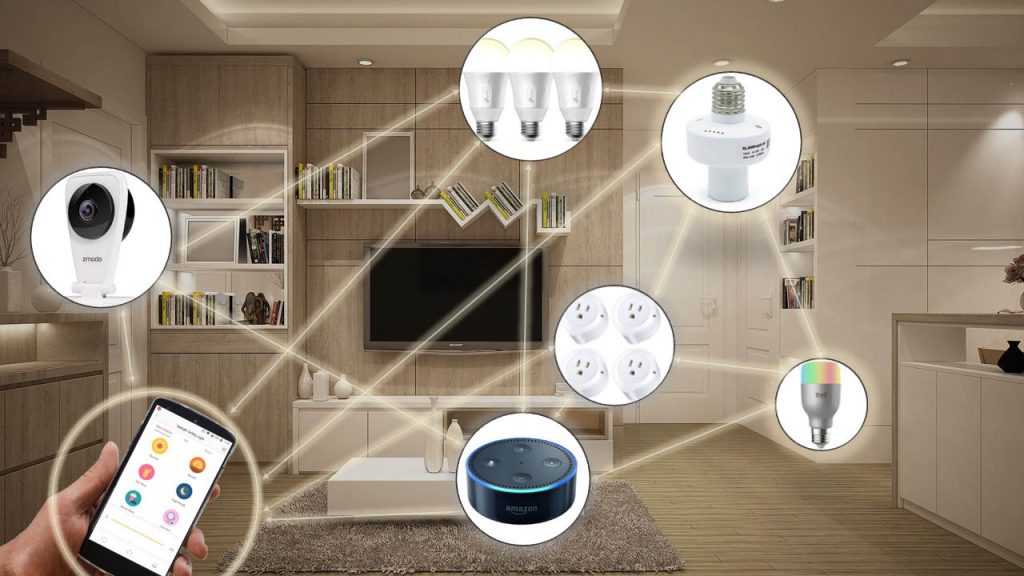
A Voice-Activated Speaker Does Not A Smart Home Make

I'm a futurist and a self-proclaimed cautious technophile. What I mean is, I love to see new technologies and what they can do for our lives, but I am not already, or even usually, an early adopter. When I think the tech is too buggy or not yet sufficiently practical, I hold back and watch, and see which brands win the race. My fascination and strategy heralds back to the first time I heard about a CD burner you could buy and use to put data or music on CDs. The ad was in a magazine I was reading, and the new-fangled device cost over $1000. I knew I wanted one, but not yet; the burn speed was slow, the tech was just too new, and I was a kid who'd have a hard time convincing my parents I needed a $1000 toy. I was also one of the last along my peers to convert from a flip phone to a smart phone, and to ditch my handheld Garmin GPS device. I'd be lying if I said sentimentality wasn't a part of the latter transition, but the primary reason was that early smart phone navigation just wasn't as good as my aging Garmin device.

On the contrary, as you may have read elsewhere, I jumped in with both feet, even against others' cautionary advice, in buying one of the first 500 Chevrolet Volts. I did so for two primary reasons and two secondary reasons (because I never do anything for just one good reason): namely, (1) I believed in the

technology, because unlike phones and CD burners, cars are highly regulated and I had faith that GM wouldn't release a bad car, (2) I presumed that GM would "pull the plug" on the Volt product line before it really established itself, #FOMO, (3) I wanted to show that there was market demand for the electric car or mostly-electric hybrid, as well as for the public chargers, and (4) I thought I was the perfect test subject to demonstrate the tech in real life and tell a fabulous story. L'il Red, as I called her, had some "new car model quirks" as could only be expected, but overall, exceeded and outperformed all expectations. I initially admitted that it wasn't a truly economically wise decision, because based on the expected long-term life of the battery and the cost of replacing said battery, even projecting some reduction in price over that time, paired with the high upfront price tag, it was still cheaper to buy an economic, efficient gas car. But, after living with her for a few months, I got smarter around the benefits, and performed an elaborate total cost of ownership analysis, including everything from the cost of the electric that replaced that gas, to the higher insurance premium and registration costs, to the minimized wear and tear on brake pads thanks to regenerative braking, and the bi-annual oil change she required. I calculated that the break even point, compared to an economic and efficient gas car, came at about 8 years, assuming no battery replacement and moderate battery degradation. It would be a stretch, I knew, because the battery had a warranty of just 7 years, and I knew my car would be operating in one of the most battery-hostile environments in the country - Phoenix, AZ. The crushing heat, indeed, so severely impacted the Nissan Leafs many of my local peers bought at the same time, that they were able to pursue litigation and return the cars under lemon laws. Take that, Volt Nay-Sayers! But I had to wait 8 years for the real happy ending; Chevy Volt # 492 is still going strong and fast approaching her 9th birthday. While a part of me knows she can turn the corner any day now, and I'd be better off getting rid of her because she does, a part of me just wants to see it to the end, to see just how far she'll go. And the practical side of me knows I'm driving for literally pennies per mile now, having no car payment and rarely needing gas or maintenance, and it's hard to think about taking all those burdens on again, remembering to fill up before work or getting her oil changed every few months, or paying on a car loan. Ugh!

Now back to the point of the story. I guess Smart Home tech may still be late in the early adopter phase, or just barely into the early part of the early majority phase, I'm not quite sure. Needless to say, I was a hard sell on this one. Buying into Smart Home tech, I realized early on, meant buying into a brand's ecosystem, and being locked in by an overwhelming cost to convert. That was cause for great hesitation, and decision paralysis when I did decide to invest.
But my hesitation was probably driven more by the lack of clarity around the value it would bring to my life. I imagined walking around my house, verbally arguing with every device and talking to my speakers like they were a servant I was micromanaging, and pulling the plug, resetting devices and manually flipping switches when they refused to do as I said. Would I ever start talking to it like a friend? Not in this decade, I thought, but someday, probably. I just really couldn't see how talking to a device was that big of an improvement over flipping a light switch or an app on my phone. But I was also curious, maybe it would be an improvement. After all, I didn't think a laptop would ever be a practical replacement for a power house desktop where I had a designated spot to work on, until I had a laptop and never touched a desktop again. And I didn't think a tablet was needed when I had a laptop and a phone, but it found a place in my device spectrum that added value too. So, in the same way that my curiosity around AR led me to insist we play Pokemon Go, I knew I needed to get some Smart Home stuff going. But which brand? And what devices do I really want? Unlike Smartphones that are all-encompassing in their technology adoption, buy the phone and you're now a Smartphone user, Smart Home covers an array of inputs and results and automation or lack thereof.

I did a lot of research, and at the time of my decision point in late 2018, I came to two conclusions: Google was currently better at interpreting and responding, and Alexa was going to get better in the future. I weighed the other pro's and con's. Amazon has Audible, and I listen to a lot of audio books. Google Home would have to stream from my phone to play, while Echos can pull directly from my Audible account. I already used Amazon Music as my primary source of music - make fun of me if you will here, I know that's not what all the kids are using these days, but every time I've tried another streaming service, I've found myself wanting to go back to Amazon Music. I even put myself on an Amazon diet by listening exclusively to the music streaming services Google Home uses for a couple months. I have a lot of faith in Google's ability to grow their databases and for their assistant to become more human-like. But beyond search, there isn't much else that I use or need from Google. I don't really use Google Calendar, so its not like I would use it to remind me of events, etc. On the other hand, I buy things from Amazon, and much of my media consumption is through Amazon. So I was leaning towards Amazon, but still not 100% convinced it would properly interpret voice commands as well as the data-powered Google.

I started out brand-agnostic, buying plugs that work with both Amazon's Alexa and Google Home. I stumbled across a Google Home Mini that had been returned and was marked down as a result, so I bought it. Then, when Amazon was having a sale on its devices, I bought an Echo Dot. I put the Echo Dot in my bedroom and the Mini in my kitchen, and I tested them head-to-head to see which one responded more accurately and more hilariously. I also noticed the sound quality while listening to music and audio books. In the end, Amazon's ecosystem and quality won me over.

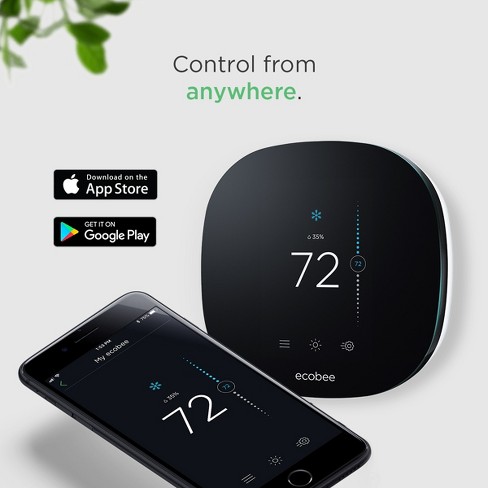
While the funny Easter eggs and silly games are entertaining from time to time, I still wasn't sure what to do to make my home "Smart." My boyfriend bought me an Ecobee thermostat for Christmas. I know Nest is well-known and popular or whatever, but I had an older model of Ecobee at my first house and I loved the features, internet connectivity and smart phone app. We installed the Ecobee and connected that to my Alexa. I bought an Echo and a few more Dots to put around the house. I started to really enjoy listening to music or audiobooks in multiple rooms, although the audiobooks on multiple speakers was wonky and didn't always work properly or at all. I had three things on smart plugs: a floor lamp in my family room, a desk lamp by my bed, and the Christmas tree lights. I set a digital timer on the Christmas tree lights, but also added it to routines to turn on like when I came home.
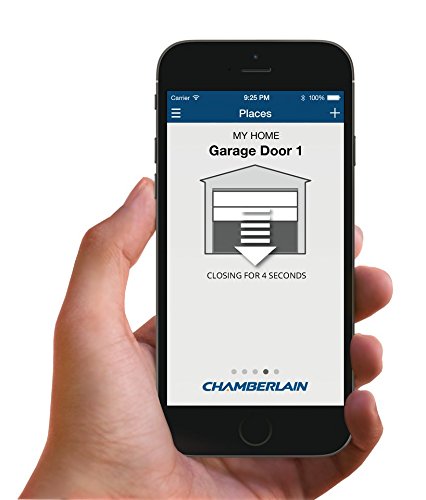
My new house came with a wifi and app-compatible garage door opener, which I've used extensively in lieu of bringing a house key and fumbling with the door lock on my morning runs. However, the garage door opener and app don't work with Alexa, only Google. Can't we all just (make our apps) get along? I'm not saying I would use it often, but it would be nice to be able to shut the garage door with Alexa. Ah well, it all goes to my phone and I can still control it from there.

Here's the thing: I just don't think a few smart speakers and plugs that turn lights on, and even a connected thermostat, make my home smart. But what other options are there? Dimming lights or color changing lights? I just don't see the need for that. I know I've said that about laptops and tablets before, but really, this time. The commercials show people using a video screen to check their cameras, but again, I just have a hard time seeing the need for that in my case. Maybe if I had a pet pig I was worried about, or a baby for that matter, but I have neither.

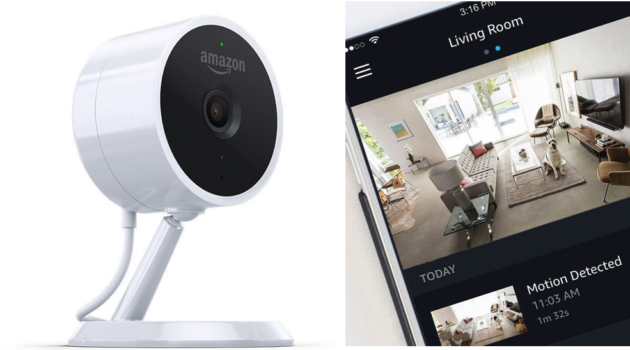
Then, there was an attempted burglary in my neighborhood, stopped by a Ring doorbell, so I decided to, for the first time in my life, get some cameras for security. I'm a big believer in minimizing subscription fees, however (says the girl who hasn't lived without Amazon Prime for a decade, and subscribes to Audible and Kindle Unlimited and Amazon Music Unlimited…). With cameras, I really don't see a need to pay for monitoring or really, anything fancy. I just want the piece of mind that if something happened, I'd capture it on video and be able to show the police, or have evidence of who or what or whatever. After another extensive read of many camera reviews, I went with the Amazon Cloud Cams, because you can have three on your account with 24 hours of footage for free, and the subscription to have more access and more cameras and more
features was reasonably priced as well. I haven't paid for the subscription yet at this point, and am quite happy with the freebie service on my three cameras. I even got a fourth camera and set it up on my boyfriend's phone, it's a wider view of an otherwise redundant angle from what I have on my phone, just to capture more if/when needed. The bonus is, if the Amazon in-home delivery thing ever takes off, I have the proper camera for it already (amateur tip: I actually bought the special edition camera made just for this purpose, although I'm not sure its any different than my other Cloud Cams).

Well, wouldn't you know it, the camera facing my front door doesn't work well unless the front porch light is on. I live on a fairly busy street so when the porch light is off, every car driving by with its headlights on, which should be every car at night hopefully, sets off the motion sensor. I suffered through turning the light on in the evening and trying to remember to turn it off in the morning for far too many weeks while I once again hesitated on what technological solution I wanted to use to attack this new issue I created for myself. I was going between a smart light switch - which would be complicated because the specific lights were on a switch with three others - or smart bulbs which I could program and control with Alexa but would likely need a hub, or an unsmart solution which could be dusk-to-dawn light bulbs, or normal bulbs with dusk-to-dawn sensors attached between the bulb and the light fixture, or I could just get better at turning the lights on and off, or I could suck it up and leave them on all the time because it didn't really cost that much to have them on during the day anyways. I suffered and suffered, and finally decided I couldn't live with the current situation of either leaving them on or remembering to turn them off and on. I didn't love the idea of buying the dusk-to-dawn adapters, because they make the bulbs stick out further from the fixtures. I knew this from experience at my last house. Pro tip: If you go this route, do not use CFL bulbs. The reason is that when the darkness triggers the power, the CFL takes just a split second too long to warm up and light up, causing the adapter to read that as a different source of light, like the sun, and then sending the signal to turn off. The CFL turns off, it gets dark again, and it triggers the CFL to turn on, and so on. The result is a constant flickering that is unattractive, but also wears out your 7-year CFL bulbs to a matter of days of life. I also didn't want to buy dusk-to-dawn lightbulbs or smart lightbulbs because those would have to be replaced over and over again. But, my light switch wouldn't easily be converted to a smart switch because of all the other switches it was associated with. So I continued to suffer. Finally, there was a sale on dusk-to-dawn lightbulbs, and I pulled the trigger, knowing that the price was worth my sanity, at least for now. I love how they work right now. I'm still not sold on the value for the money, but since the cost is in my past for now, I love them.
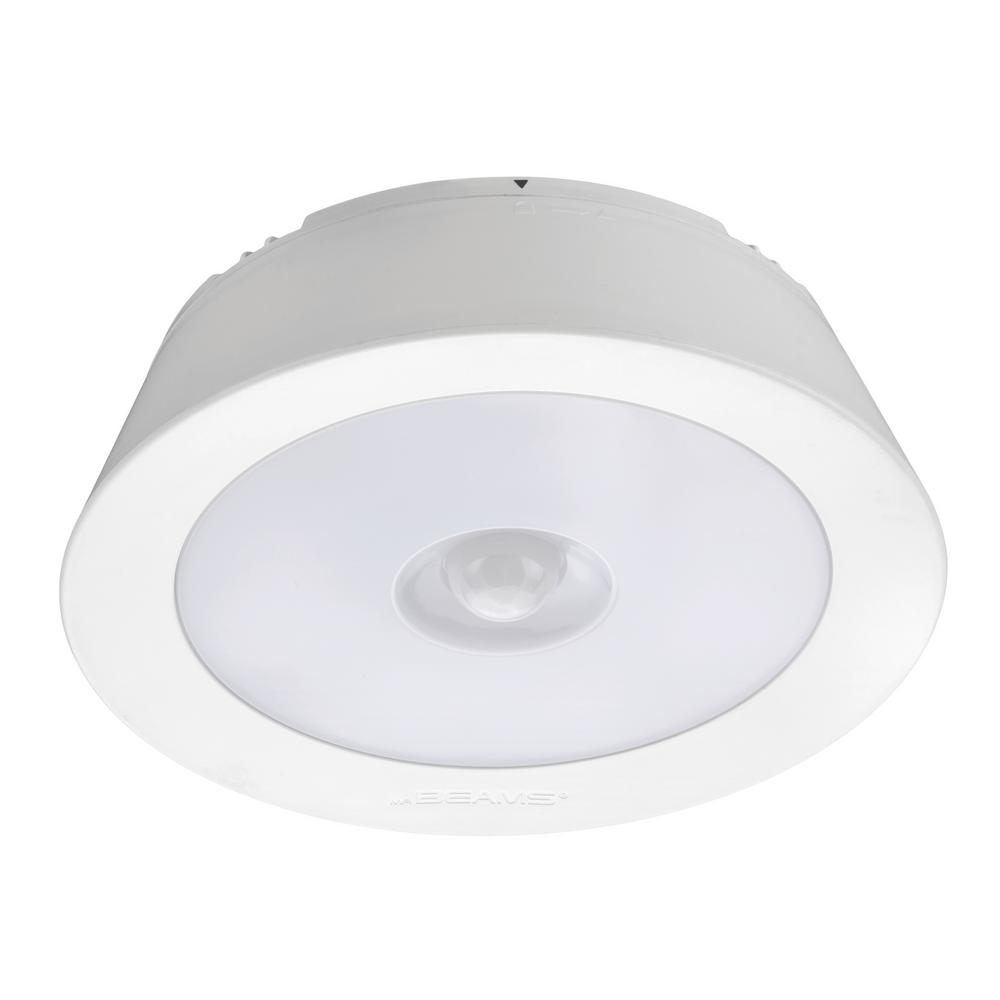
While perusing through Home Depot for something completely unrelated, I saw a promotional display with those battery-operated motion sensor lights. They weren't too expensive, so I thought I'd buy one and stick it in my wardrobe closet to see if I liked it. It turned out to be instantly useful and appreciated. Not only did the motion sensor work like a charm, almost entirely eliminating my need to flick on and off the light switch as I went in and out of my closet during my morning and evening routines, but it was less shockingly bright and therefore a bit more pleasant. But battery-operated things need battery replacements, and I am lazy, and didn't get to it for a while, so it sat idle on my ceiling for quite some time before I finally replaced the batteries. I think it was more useful for a secondary purpose: it showed me that I prefer motion sensors to light switches or voice-activation in some cases, namely, closets. Its relevant to point out here that I get up substantially earlier than my boyfriend, and so I don't exactly want to be walking around in the morning shouting commands to Alexa everywhere I go. Ultimately, I got another one of the battery-powered motion sensor lights for a hall closet that has a light just outside the closet but not inside, and I love it there just as much as I love it in my wardrobe closet, and for my wardrobe closet, I plan on replacing the light fixture in there with a wired motion sensor light fixture so I can just leave the light switch on and it will turn on and off as I need it to.

What I'm getting at here, is, a truly useful, technologically-enhanced home is not necessarily just these new Smart Home accessories. Duck-to-dawn and motion sensor technologies, and digital timer plugs, have been around for a long time. Come to think of it, sound commands for toggling lights isn't even a new thing with these Smart devices. Clap on, clap off, anyone? I think maybe the really clever applications would be where these old technologies can be used in concert with some of the newer technologies to enhance their features. I think motion sensor lights either got a bad rap from the outdoor flood light application, or are just completely underappreciated. Besides the desire to not disturb my boyfriend in the morning, or for him to disturb me late at night when I'm in bed, I would almost want just about all lights in my house to be motion-sensored. Except maybe not, because the family room light may go off on me if I'm still enough, and that's not the desired effect. Same with the bathroom. (In fact, this happens with my motion-sensor light at my office frequently, but at least I have giant windows that let in a lot of natural light so long as its not dark or stormy outside.) And then there's the bedroom light that we wouldn't want to turn on and off when someone is trying to sleep. So maybe not, really, but I could imagine some clever smart solutions, like: the bedroom lights could be motion sensor lights with a smart switch, and then you could put a timer on the smart switch so that it turns off at bed time and turns back on in the morning; that way the light would turn on in the evening if I'm putting laundry away or just passing through to go to the bathroom, for example, but wouldn't turn on when he comes to bed or when I wake up in the early morning.

For what it's worth, I've always had a strong preference for, and many applications of, motion sensor or dusk-to-dawn nightlights; I use them throughout my house but especially in the hallway from the guest room to the guest bathroom, in both bathrooms, and in the pathway from the bedroom to the kitchen, etc. The main thought behind that is to make sure there is just barely enough light to walk around the house in the middle of the night safely
without causing a lot of light pollution or crazy electric bills or blinding you making it harder to adjust back to the dark, etc. Specifically, I use motion sensor night lights where I don't want the light on all the time, like in the bathroom, and these are typically a bit brighter. I used to use one in the hallway outside my bedroom when I lived alone, because I was paranoid about the idea of someone coming into my house that way, I guess at least I would have a few seconds of warning that someone was coming? In the main living area, I have those color changing dusk-to-dawn night lights because I think they are pretty and they give off just enough light.

So while I may not be past the point of resisting, and am bought into my chosen brand of smart things, I still think we have a long way to go before common homes are truly smart. Like, why can't my front door camera recognize my car or my boyfriend's car and automatically open the garage door for us? And why doesn't the garage door close when we're clearly done in the garage and coming inside, or when the camera sees that we've driven away? My thermostat has an occupancy sensor so if it realizes we've been away longer than normal and I forgot to set a vacation setting, it will automatically adjust the temperature to reduce costs. Why couldn't my floor lamp connect into the same kind of occupancy sensor so that it would go beyond a simply motion sensor and stay on so long as someone is in the room and hasn't gone to bed yet? If my thermostat is on vacation mode, why can't I have it recognize when I'm 20 miles away and automatically resume normal schedules at that time to heat or cool the house prior to my arrival without my intervention? Why can't I set my back porch light to turn on when the camera sees me go to the door? I have my wifi password written on a cute decorative board near the entrance to the house for guests (and for me because, let's face it, I forget it), but for some reason, Alexa won't say the wifi password even when I tried to program it as a routine. What's up with that Alexa? And why can't I write notes on my shower door that are translated into notes on my phone when I'm done showering? Okay, maybe the last one is a little ridiculous, but you see it, right?

Here are some things I do thoroughly enjoy that are technologically cool and/or "Smart." 

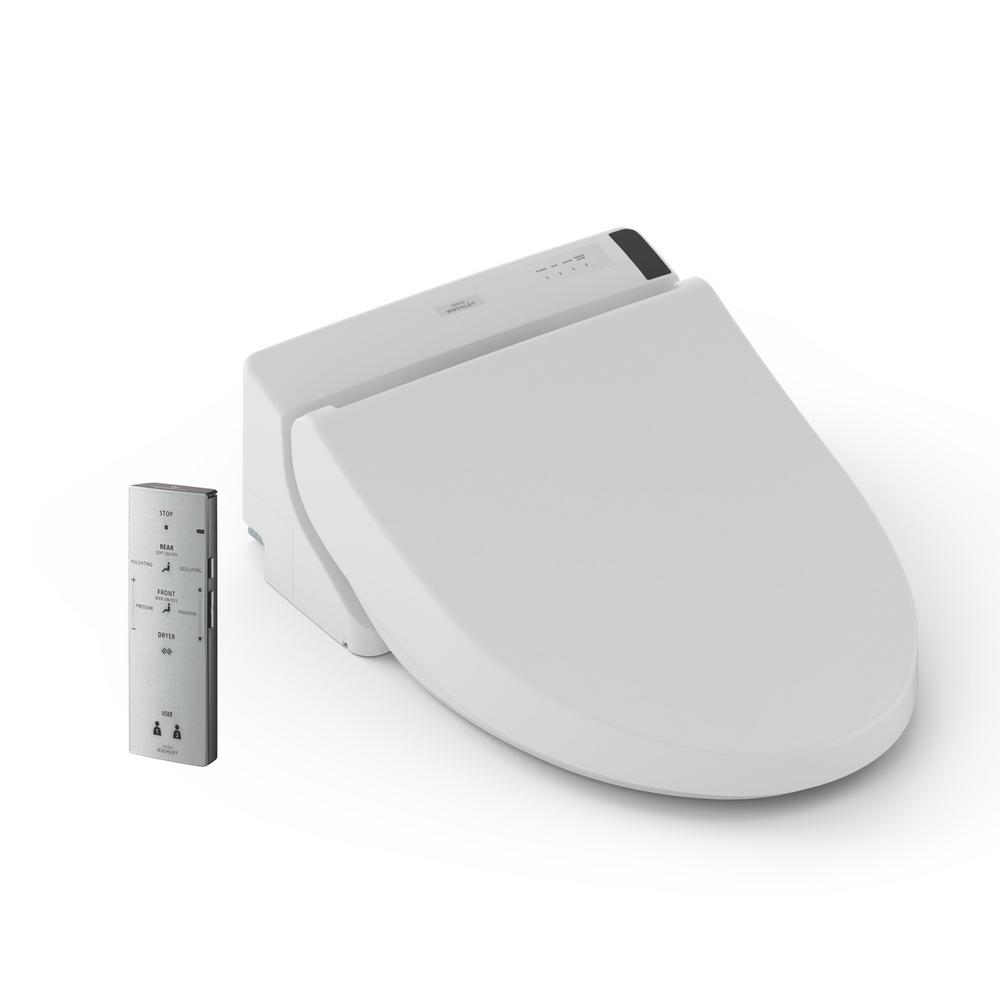
I have a really fancy Japanese Toto toilet/washlet that has a remote control, a motion sensor and a small light. When I use the toilet in the middle of the night, the toilet sees me coming and automatically runs a quick rinse cycle and turns on the fan and the light, so I don't actually need a light in the toilet room. The seat temperature is maintained at the warmest level because nothing is worse than a cold toilet seat in the middle of the night. When I'm done with my business, I use the remote to activate the bidet, controlling the water temperature, angle and pressure. I can choose for it to oscillate and/or pulsate. Then I hit another button on the remote to activate the blow dryer, and change the temperature of the air if needed. The washlet is pressure sensitive as well, so when I stand up, it takes a quick second to realize I'm no longer sitting and shuts the fan off automatically. This will work for the water spraying bidet as well, but you run the risk of water splashing outside the toilet if you try this, so I don't recommend it. I love my Toto! It was expensive and requires a plug near the toilet which is not always readily available for this purpose, but it is TOTO-lly worth it. See what I did there? Yeah, it's that awesome.
I mentioned my Ecobee thermostat a couple times but I want to highlight just how amazing it is to be able to turn the heat on in the early morning when you're freezing in bed and don't want to get up out of the covers to turn the heat on. Also similarly life-changing when you're hot and want to turn the A/C up. The added benefit of the integration with Alexa means now I don't even have to have my phone. Since I have Alexa devices all around my house, all I have to do is say it to no direction in particular, and one of the devices will pick it up and confirm back that it has adjusted the heat or A/C.  I love the vacation mode feature and the app, so that I can make updates on the go. When I lived alone and was going to evening school after work, I basically scheduled it as if I wouldn't be home until midnight, and then whenever I was headed home, I would simply adjust the temperature on my app and the house would be adjusted by the time I got there. My schedule is a little more regular these days, so I usually just keep it on a good schedule and once its adjusted just right, I don't often need to make voice commands or changes on the app.

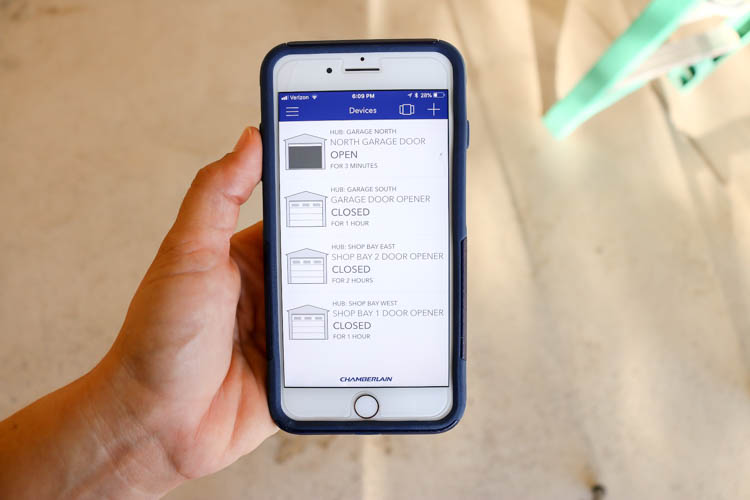
I also mentioned my garage door opener that came with my new house. It is Chamberland branded and works with the myQ app. One of the dumbest things I get paranoid about is whether or not I shut the garage door. I've left the
garage door open all night, and since I don't lock the door going into the house from the garage, and I don't lock my cars in the garage, my cars and everything in them as well as my house and my sleeping self was completely exposed to bad actors. Luckily, nothing has ever happened that I know of, but the few times it has been a possibility scares the crap out of me. So the best thing about the myQ app is that it can be set to tell you if the garage has been open for more than 5 minutes. Whether I'm at work or in the house, I will know in short time if I've made that mistake, and can close it from the app without even being home or getting up from the couch or bed or whatnot. The added bonus is that I can open and close it with my phone, so no more running from the button, over the lasers and under the closing door. I added a camera in the garage, so now if my boyfriend is home and happens to leave the garage door open, I can use the camera to peak into the garage to see if he's working in there or doing yard work, etc., or if his car is gone and he forgot to close it. I think all that is pretty neat, but mostly importantly, the alert. It definitely alleviates a lot of anxiety for me.
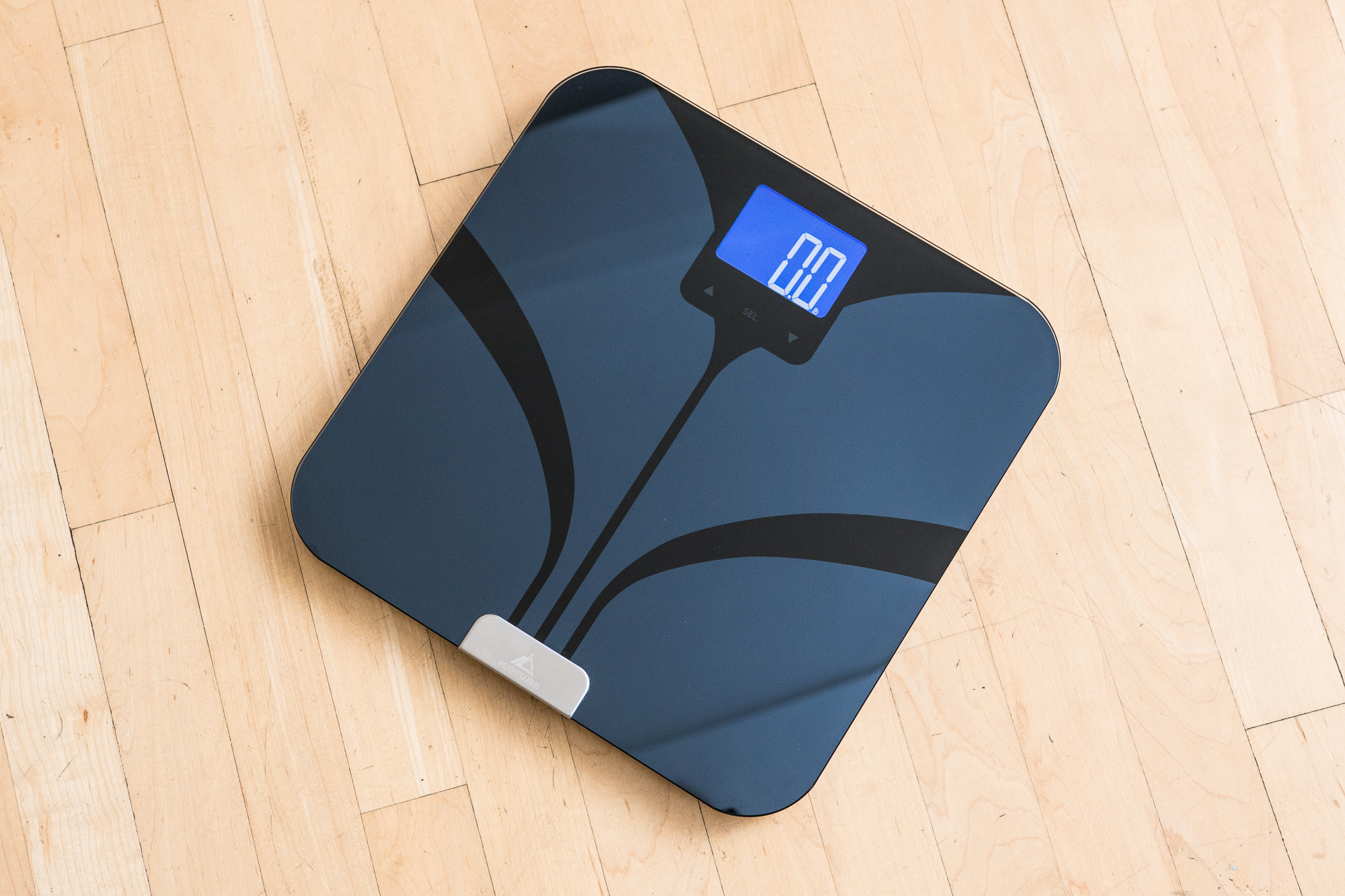
I have a Weight Gurus scale that links to an app on my phone which then links with my FitBit app which also links to the MyFitnessPal app. I love the interconnectivity, and also love that my weight and BMI gets recorded automatically. Even if I forgot or don't bother to sync it with my phone at the time of weighing myself, it will save the data for the next time I open the app to sync it with the scale and fill in all the missed history. It knows the difference between my boyfriend and I (usually - it got confused when I lost weight rapidly once and didn't know who I was for weeks). Overall, it’s a great smart product that makes my life just that much better and reminds me of my health goals.

As far as the Alexa products and service themselves, there is a lot to like, and a few things to really love.

  • One feature I've figured out and put to use recently is to set a sleep timer and then play music. You can stream whatever music you want, and it will shut off when the sleep timer runs out so its not playing all night. Love it! 
  • The whisper feature they show on the commercials actually works pretty well, and I've found that useful. 
  • I don't use it to manage too much of my life like they show on commercials, like, I don't have it do calendar events or add to my shopping lists or anything like that. But I have a very useful application of the reminder feature: reminding me to check in to a flight 24 hours early. I often have business trips flying out on a Monday, and the day before I'm at home relaxing, reading, etc, and not necessarily paying attention to my phone. My phone may very well remind me to check in, but that's not helpful if I'm not looking at it. So I have Alexa remind me, which interrupts any music or audiobook I'm listening to, and speaks loud enough for me to hear it if I'm watching TV or napping. It's just enough to get my attention to check in right on time, and when you're flying Southwest a lot, you know how important that is!
  • The music in multiple rooms seems pretty simple, but is a major reason why I got the devices. The audio books on there are good, too, but like I mentioned before, setting up audiobooks for multiple rooms/speakers has been pretty buggy and doesn't quite work right (yet). It can only improve, I presume, if Amazon knows what's up.
  • The devices light up yellow when I have a delivery, which is handy to come home to and see that there may be a package at my door or in my mailbox, if I didn't happen to see it on my camera. Its also handy when I'm just hanging out at the house, as is the camera alert that lets me see that the carrier is delivering something. And for as much as I buy on Amazon, this is a really big deal.
  • Turning on and off lights with vocal commands is still a very minor feature for me, more of a bonus I think, but I will admit it is convenient (if not a little enabling of utter laziness) to not have to get up as the sun goes down to turn the light on. It's not as life-changing as controlling the thermostat, for example, but still a nicety. If you have a lot of people in the house, I'd say that there's the added bonus that it doesn't require a person to have the app on their phone, it takes orders from anyone when it comes to turning lights on or off.
  • There are, of course, a few Easter Eggs as well as lots of news-related features, but those are mostly novelties in my opinion. The one feature in this category that I do find incredibly useful is asking Alexa if its going to rain today or tomorrow. She is much more efficient in answering this question than I am when trying to find and interpret the weather on whatever app I'm using.

In conclusion, I'm not convinced we're quite ready to say that homes are now really smart yet, but I think there are some neat applications of current technology, and I think there are a lot of opportunities for more exciting applications in the future. Now that I’m bought in, I will hopefully be a part of the early adopter crowd going forward.

Sunday, April 14, 2019

Steal This Idea: Reduce/Eliminate Amazon Packaging

I've recently become hyper-aware of the excess amount of packaging coming into my household with the addition of Amazon subscriptions to my life and the lack of recycling in my part of Florida. (First of all, get with the program, Florida! Really!!) My initial idea for a solution was reusing the packaging, which would involve a complex reverse supply chain and notification system to identify when Amazon packaging was ready for pickup, what kind, and where it would be, and then figuring out how to reduce costs to make this a viable business solution for Amazon to gather these used materials and reuse them efficiently. It was a mess. So I had to take a step back and figure out what was the real problems to be solved.

Problem #1: Amazon has to reasonably protect the item during the delivery process.
Problem #2: Excessive use of cardboard, plastic and paper was resulting in wasted resources that would be 100% mitigated if the item was purchased in a store.
Problem #3: Reusability of packaging materials is challenging, complex and expensive, and ultimately not good business.
Problem #4: Recycling these excessive materials doesn't completely eliminate or resolve the first problem.

Now, let's talk about some of the many, many resources available.
Resource #1: Amazon has purchased a number of brick-and-mortar stores and has started opening its own brick-and-mortar stores as well.
Resource #2: Amazon has begun limited testing of drone delivery.
Resource #3: RFID and other near-field technology is prominent and getting cheaper.
Resource #4: Autonomous vehicles, including trucks, are already on the roads and getting smarter.

It is feasible to imagine reducing the protective packaging needs if shipments aren't traveling from a DC through the mail. Instead, let's say I order my usual 12-pack of flavored Ice Waters, and it is placed in an autonomous truck at a brick-and-mortar store (or a DC for that matter), and carried to my porch by a drone launched from the truck. There's really no need to put it in a box now, as long as the drone has a way to pick it up, move it and set it down. If protection of the product while awaiting my receipt of it is important, maybe we look at the old milk man model: they utilized a cooler in which the milk was placed and thus protected from the elements. Amazon customers could "opt in" to buy or lease their own Amazon locker which only unlocks for a drone with a delivery to this address, and the customer. This could be done by RFID or near-field technology, bluetooth, or something similar.

As a YUUUGE and growing source of consumer products (and excessive packaging), Amazon has a real opportunity and responsibility to reduce or eliminate a good portion of the trash going to landfills today and in the future. I think addressing their own packaging is the biggest opportunity and most important one.

That being said, I think Amazon could also work with bottle fillers to work on recycling programs and/or reusable container programs for their customers. For example, going back to my 12-pack of flavored Ice Waters, even if I buy them from the store, I'm still ultimately tossing out empty water bottles. What if, instead, I placed said bottles in my personal Amazon locker outside when I was done with all 12, and the next time I got a delivery, they would also pick up the bottles and return to a bottle filler for cleaning and reusing? I know this starts to get into the messy reverse logistics thing I was trying to avoid earlier, but I think it would be the logical next step after Amazon largely addresses its own shipment packaging materials issues. 


It is worth noting that you can also help reduce packaging from Amazon starting today! As referenced here: https://earth911.com/business-policy/reduce-amazon-packaging-waste/ you can send an email to

cs-reply@amazon.com to request minimal plastic packaging inside your orders, and they should make a note in your account to do so. 

Also, you can choose to receive deliveries once a week instead of multiple days per week. This is called choosing your "Amazon Day," and all you have to do is select it at checkout.